
Last updated July 8, 2025
- Access
- Overview
To prevent someone from making unauthorised changes on the website, it is best practice to log out after you've finished working on the site.
How to log out
Once logged in, hover over the SU logo in the top left corner and click "Logout" to log out.
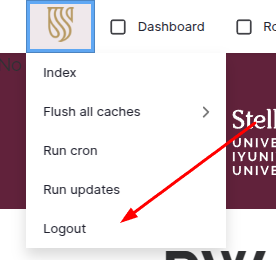
Alternatively, click the "Log out" menu item located in the footer menu.

IMPORTANT NOTE: The website will automatically log you out if you are inactive for 30 minutes and you will loose any unsaved work. The website does not automatically save your work - you must click on Save to save your work. The website considers a user active when they have saved, not when a user is typing in content or adding components, for example.