
SU launches Buzzer safety app

Campus Security has partnered with Buzzer, a community management platform and safety application, to support ongoing safety initiatives at Stellenbosch University.
The Buzzer app allows students and staff to alert Campus Security for assistance when they need it, directly from their cellphones.
The app is geofenced, meaning the SOS function,alerts and reporting only works while you are on the Stellenbosch campus. The SU-specific platform is only accessible to SU students and staff, and currently for those on the Stellenbosch campus.
Download the app via the QR code or read more in the FAQs section.
The app is free for SU students and staff.
Together for a SAFER campus
Stellenbosch University regards the safety of students and staff of the utmost importance. A dedicated, highly trained security team patrols the grounds of the University. They are supported by a 24/7 operational centre that handles all emergency calls, monitors alarm activations and CCTV systems.
Due to Stellenbosch University's open campus, which is closely integrated with the Stellenbosch central business district and surrounding areas, the University has established a strong partnership with local law enforcement and security agencies to ensure comprehensive coverage and safety throughout the greater Stellenbosch area.
Over the past few years, the University has dedicated a substantial amount of time, energy and resources to enhance safety and security measures. These measures are continuously being reviewed and include identifying major or new trends and adjusting security and safety strategies accordingly to ensure the safety of our students and staff on campus.
On this page, you will find detail regarding resources, initiatives and security measures in place at SU. If you have any additional enquiries, please do not hesitate to contact us at [email protected].
Walk with service
If you need to walk between buildings or parking areas on campus between 18:00 and 06:00, you can request a security officer to accompany you. Send a WhatsApp message request to Campus Security, and an officer will be assigned to walk with you.
This free service is available on campus all year-round
Stellenbosch Campus: 082 808 2333
Tygerberg Campus: 083 938 1841
Free night Stellenbosch campus shuttle
Use the free night shuttle service daily during term, 18:00–06:00. It departs hourly from the Neelsie parking, covering a 6 km radius to safely transport students’ home. Book via the SUN student portal.
Campus map
Visit the interactive campus
Stellenbosch Campus
24-hour EMERGENCY number:
021 808 2333
Toll-free number:
0800 02 58 27
WhatsApp walk-with service:
082 808 2333
Tygerberg Campus
24-hour EMERGENCY number:
021 931 5111
Toll-free number:
0800 00 67 67
WhatsApp walk-with service:
083 938 1841
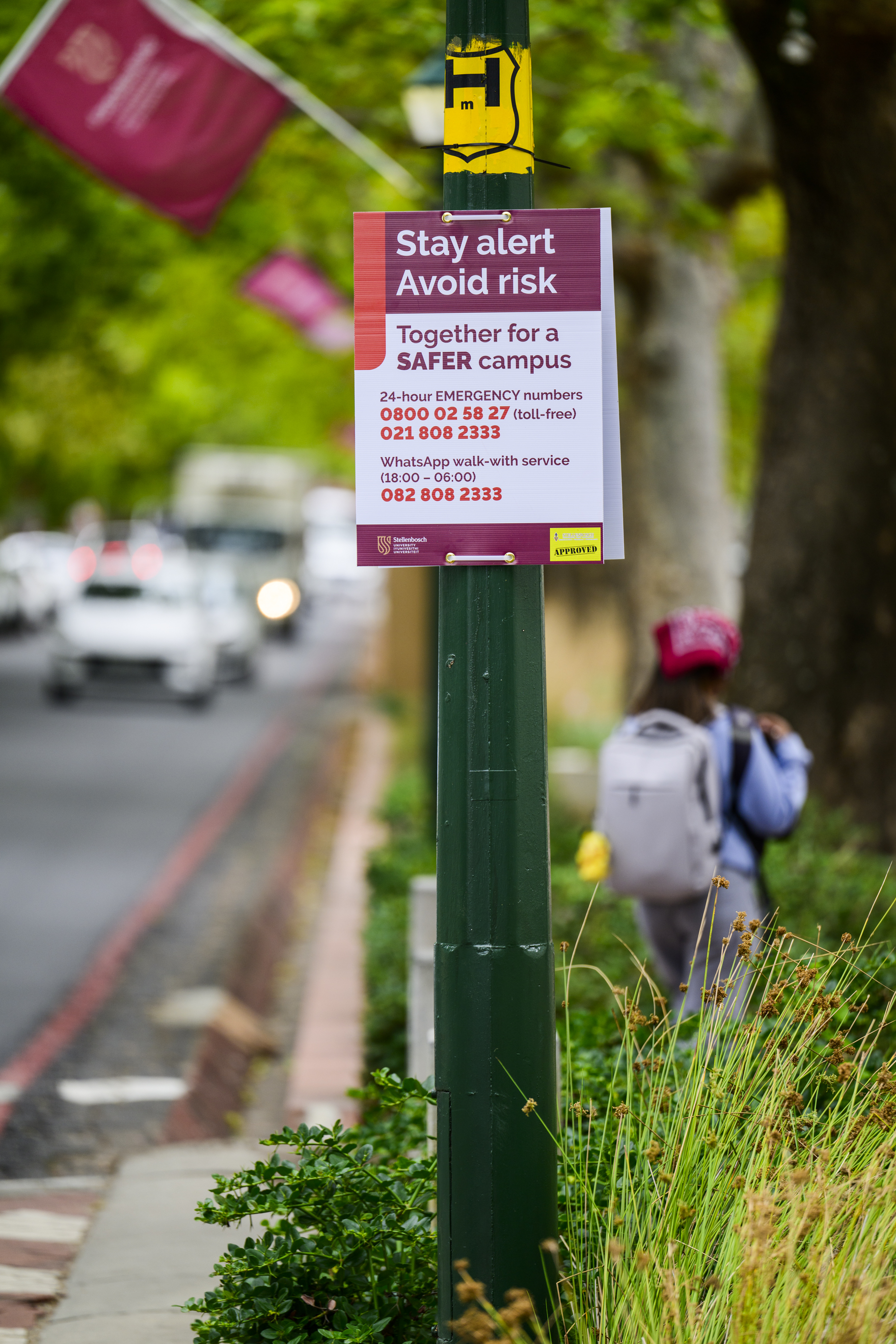
Follow these safety tips on campus:
- Avoid walking alone, especially at night. Walk in groups, use the campus shuttle or Campus Security’s walk-with service.
- When walking on campus, stick to the preferred routes which is Victoria Street and Bosman Street where security officers are stationed in mobile security kiosks at night.
- Choose the safest route, even if it is not the shortest.
- Avoid isolated areas, especially when exercising early in the morning or late in the afternoon.
- Be conscious of your immediate environment.
- Keep a safe distance if a motorist asks for directions.
- If you suspect that someone might be following you, change direction, seek people and ask for help.
- Be a caring Matie – accompany a friend.
- Do not leave valuables in your car or display them.
- Be aware of remote jamming - properly lock your vehicle.
- Invest in a U-lock to safeguard your bicycle.
- Make use of bicycle sheds on campus.
- Do not walk and talk on a cell phone.
- Always carry a small rechargeable flashlight.
- Carry a whistle or pepper spray for safety.
- Always tell a friend or two where you are going.
Frequently asked questions
- What security measures are in place to assist students?
- What more can be done about the varying, sometimes increasing crime trends?
- What else is the University doing to promote safety awareness?
- Is there any collaboration with the Stellenbosch municipality and SAPS to address this issue?
- Where can staff and students report incidents of gender-based violence?
For security reasons, SU cannot provide information on all security measures. Nevertheless, over 60 inhouse staff security members are patrolling the University campuses, together with more than 200 specialist security contract staff.
Walk-with service
SU actively promotes the University’s Walk-With service available every evening from 18:00 onwards. Students can request to be accompanied by a security officer at night, when walking between buildings or on parking areas on campus. This free service is available on campus throughout the year. Students can request an escort via WhatsApp on 082 808 2333.
An additional “walk-together-express" is available during examination times on the hour starting from 19:00 daily. Students can meet at the security kiosk outside the Jan Mouton building from where a security staff member will accompany groups enroute to various destinations on campus. (This service does not replace the normal walk-with service.)
While the University is continuously creating awareness and addressing safety concerns on campus in conjunction with other security agencies in town, it views students, staff and the public as partners in this process and call on them to remain watchful and to be vigilant and active partners in campus safety. This includes taking responsibility for their personal safety on campus and in town – even more so at night.
Via Campus Security, the University is a member of the Stellenbosch Security Network where the various safety partners share security information. Campus Security may, however, only patrol the campus. In terms of the Private Security Industry Regulatory Authority (PSIRA) regulations, Campus Security is confined to conduct security operations within the University campus area. Watch the night patrol SU security service video here.
Regular actions and initiatives taken by the University include the following:
Crime prevention and awareness during Welcoming Week: Campus Security conducts information sessions with student leaders and groups of newcomers to provide information on self-defence training and to promote personal safety applications such as Buzzer and pepper spray. See our latest video here
Harnessing social media for campus safety awareness: Campus Security uses social media to create awareness and promote vigilance among the campus community. Platforms used to communicate best practices and crime prevention tips include the University’s Facebook page, Instagram and TikTok (see examples of posts and videos below). TikTok allows Campus Security to reach a large demographic, as it is very popular among young adults. The short videos posted on this platform received nearly 1 000 views. Watch the video here.
Recognising that safety is a shared responsibility, the University collaborates closely with key stakeholders in town, including through regular discussions at security forums and the Mayor/Rector Forum – to ensure a comprehensive approach to safety. SU will not cease to collaborate actively with the rest of the role players in town and dedicate the necessary resources towards ensuring the safety of its students. SU is also appreciative of the fact that SAPS and its security partners are working tirelessly to investigate these matters.
The University’s Equality Unit implements SU's policies on harassment and discrimination and provides various services and support to students and staff. Click here to read more.
Students also have access to the SU INSPIRE Facility (also see this link) within the Stellenbosch GBV Centre in Ida’s Valley, Stellenbosch.
Buzzer App: Frequently asked questions
- What can you do with the Buzzer app?
- How do I set up the Buzzer app?
- How does the Buzzer app work?
- Who will respond to an SOS alert?
- Do I need to set a location? I’m worried about my privacy.
- How is my location set?
- How do you create and view alerts?
- How do I connect with other users on campus?
- I sent through an alert by mistake. How can I delete it?
- What is the data usage?
• Send an emergency SOS alert to Campus Security
• Report safety concerns on campus
• Receive real-time campus safety alerts
• Send voice notes and pictures
Follow the guide below to get connected and verified.
Step 1: Download and sign up
• Download the Buzzer app from the Apple App Store or Google Play Store.
• Create your account and set up your basic profile.
Step 2: Join the SU community
Once your account is set up, you need to link it to the University:
• Open the app menu and tap on ‘My Communities’.
• Select the option to join a new community.
• Enter the join code <Maties> or simply scan the University QR code.
Step 3: Secure your profile
To be accepted into the protected community, SU Campus Security must verify your identity (verification may take up to 48 hours). Your request will remain "pending" until you complete these steps:
• Go to ‘My Profile’ and 'View Profile.'
• Select Security Provider and then SU Campus Security
• Enter student or staff number
Please ensure your student or staff number is entered correctly to avoid any delays in your approval process.
The app includes an SOS panic button linked directly to Campus Security on the Stellenbosch campus. When activated, it alerts the Campus Security control room so assistance can be dispatched.
Users (staff or students) can also report more specific incident types via the reporting button.
Please note: The app is geofenced, meaning the SOS function only works while you are on the Stellenbosch campus. The SU specific platform of the app is only accessible to SU students and staff.
When you activate the SOS button, Campus Security on the Stellenbosch campus is immediately notified.
Other Buzzer users (students and staff) on the Stellenbosch Campus who have opted in to receive alerts are also notified.
Nearby users may assist where possible.
Privacy note:
Only Campus Security can see your name and phone number so they can contact you during an emergency. Other users can only see your location on the map – not your identity or contact details.
Location access is essential for the app to function correctly, as it allows Campus Security to respond to the correct location and ensures you receive relevant alerts.
Buzzer is designed with privacy in mind: Location data is encrypted and securely transmitted and personal details are only visible to Campus Security during an alert.
Buzzer also complies fully with the Protection of Personal Information (POPI) Act
The app automatically detects your location using your device’s GPS or network-based location services. Ensure location services are enabled on your device.
Click here to view a video of the app’s setup and key features.
To create an alert: Tap the “Report” button, select the alert type, and add a description, photo, or voice note if needed.
How to view alerts: Tap the “Alerts” or “Broadcasts” tab to see recent incident alerts on campus.
By connecting to the Stellenbosch University community, you are linked to other SU students and staff on Buzzer and will see alerts and reports across the Stellenbosch campus.
Alerts cannot be deleted once sent. If an alert is sent by mistake, post a message in the app chat to clarify it was a test or mistake and Campus Security will close the alert.
Data usage of the app is minimal.