Training website
Last updated July 15, 2025
- Access
We've created a training website where you can practice what you learn during training.
About the training website
- Your role on the training website will be the same as your role on the live website (this site).
- When you are working on the training website, you don't have to worry about messing anything up or accidentally deleting anything - it won't change any of the content on the live website.
- Note that the content on the training website is not an exact replica of the content on the live website, so don't be surprised if you don't see your migrated content there.
- You can create and publish pages or any other content on the training website, it won't affect your live content.
- If you come across any warnings about modules being outdated or 'unable to send email' on the training website, you can ignore them.
- To check which website you are on, look at the URL. The live site's URL is www.su.ac.za and the training site's URL is prefixed with "tst".
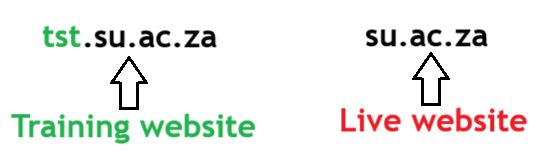
- The training website also has a banner at the top of the site indicating that it is the training website.

IMPORTANT NOTE: None of the changes you make on the training website will display or be transferred to the live website, the training website is only for training purposes.
Locate your content on Training website
The content on the training environment has not been published, so when you go to your Dashboard, there won't be any content. Follow these steps to find the unpublished content.
Click on "Dashboard" on the top left of the window.

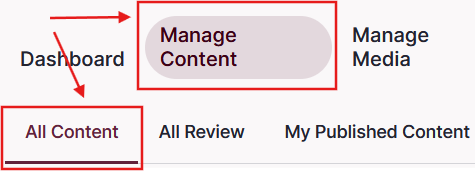
Once the Dashboard has loaded, click on "Manage Content" and then "All Content"
Log in to the training environment
- Click on the link below to log in to the training environment. It will open in a new tab on your browser.
- Use you SU credentials to log in.